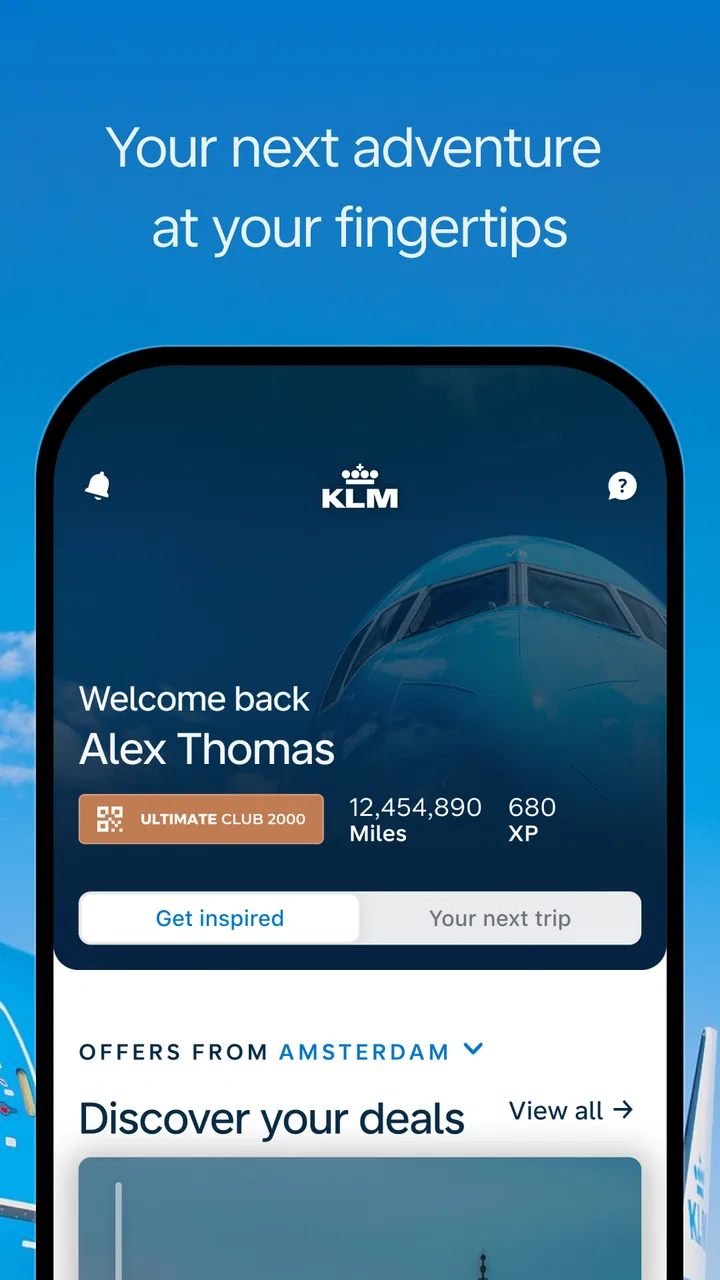
KLM - Book a flight
- 4.4
- Rating
- 5.00M
- Installs
- Free
- Price

 Analysis by App-foxy
I tend to judge airline apps by what happens when a trip becomes inconvenient, not by how polished the booking screen looks on a quiet afternoon. KLM - Book a flight is a free Travel & Local app from KLM Koninklijke Luchtvaart Maatschappij N.V. that is designed to accompany a passenger from arranging a flight through the airport and onward to arrival. In my experience, its value is greatest when it keeps travel details together and reduces the need to switch between separate tools.
That sounds straightforward, but airline apps are unusually sensitive to timing, connectivity, passenger details, and changes made outside the app. A booking can be correct while the screen appears stale, or a perfectly healthy app can seem broken when an airport system is updating. I found that separating those situations is the key to using this app without unnecessary frustration.
Where the KLM app is most useful—and where people get stuck
The first obstacle is often not booking itself. It is knowing which information the app can act on immediately and which information depends on an airline or airport system catching up. I would begin with the app when I want to search for a KLM journey, manage the trip in one place, and keep the flight process close at hand. I would not treat it as an independent source of truth for every airport event, especially during disruptions.
You May Also Like

 Blood Strike: 2.5 Anniversary
Blood Strike’s Loadouts Turn Every Drop Into a Tactical Gamble
A close look at Blood Strike’s custom loadouts: how fast access to signature weapons reshapes its battle royale rhythm, rewards preparation, and narrows the gap between fights.

 Pandora - Music & Podcasts
Pandora’s Music Is Easy to Start, but Harder to Recover
Pandora’s strength is its low-effort path from a seed to a station. Its weak spot is how much confidence it asks you to place in connection, setup, and quiet recovery.

 8 Ball Pool
 Is Built on Rivalries, Rematches, and Routine
A close look at the rivalries, rematches, shared routines, and unanswered safety questions that turn a quick pool match into a persistent mobile community.

 Samsung Music
’s Quiet Strength Is Playing What You Already Own
Its reach comes less from spectacle than from dependable access to a personal library. That simplicity is both the app’s strongest retention engine and its ceiling.

 AccuWeather: Weather Radar
AccuWeather Review: A Quick, Clear Forecast for Everyday Decisions
For everyday plans, the best forecast is the one you can understand quickly. AccuWeather makes rain timing, radar, and local conditions easy to act on, with a few trade-offs.

 Hill Climb Racing
Why Hill Climb Racing Still Turns Crashes Into One More Run
A tiny car, a bumpy hill and one more upgrade: Hill Climb Racing keeps resurfacing because its simple chaos makes every near-miss feel personal.
More From Our News Desk



The app has been available since March 11, 2011, and its current version is 16.8.0. That long history helps explain why it feels more like a travel companion than a single-purpose booking screen. At the same time, established airline apps can contain several layers of travel information, so a first-time user may need a moment to understand whether they are looking at a booking step, a passenger record, or an airport update.
One common point of friction is entering a trip after booking elsewhere. If a reservation does not appear, I would first check the booking reference and passenger surname exactly as they were issued, including spelling and spaces. I would also make sure I am using the reference for the KLM journey rather than a separate reference from a travel agency or another airline. This is a small distinction, but it prevents a lot of needless reinstalling.
Another sticking point is expecting every flight change to appear at precisely the same moment everywhere. Airline reservations, airport displays, boarding processes, and notifications can move at different speeds. If the app shows one status and the airport board shows another, I would compare the flight number, date, and departure airport before assuming the app has failed. For an immediate airport decision, staff announcements and airport information remain important companions.
The app is rated for Everyone, which makes it approachable for a broad range of passengers, including people who are not especially comfortable with travel technology. Still, “easy for everyone” does not mean every travel situation is simple. Multi-passenger bookings, name corrections, special assistance, partner-operated segments, and last-minute changes can require more attention than a routine solo booking.
What I check before blaming the app
Before trying a complicated fix, I check the basics in a deliberate order. Is the phone connected to a stable network? Is the device date and time correct? Is the app fully opened rather than resumed from a very old screen? Is the flight date correct? These checks sound ordinary, but travel information is time-sensitive, and an incorrect date or a weak connection can make a valid trip look absent.
I also check whether the problem affects one screen or the entire app. If the booking page opens but a live travel update does not, that points to a different issue from an app that cannot load anything. If only one passenger's information looks wrong, I avoid changing the whole reservation before checking the passenger details carefully. A narrow diagnosis is safer than repeatedly tapping through unrelated options.
On Android, the app requires Android 8.0 or later. That matters when a traveler is using an older spare phone for a trip. I would confirm the operating system before leaving home, rather than discovering the compatibility issue at the airport. On a supported device, updating to the current app version can also remove avoidable problems caused by an outdated installation, although an update cannot repair an airline-side delay or a reservation entered incorrectly.
For iPhone users, I would apply the same practical principle: keep the operating system and app reasonably current, then restart the app after an update or a long period of travel planning. I would avoid deleting the app as a first response, particularly when I am already at the airport. Reinstallation may clear a local issue, but it can also leave me needing to sign in or retrieve booking details again at the worst possible time.
Notifications deserve a quiet check before departure. If I want timely reminders, I make sure notifications are allowed for the app and that the phone is not silencing them through a travel, battery, or focus setting. I do not rely on a notification alone for a gate or schedule decision, but having alerts enabled is useful when I am moving through a terminal or waiting away from a departure board.
A safer setup before the travel day
I prefer to install and open the app while I still have reliable internet. I sign in or locate the reservation, review the passenger names, and check that the itinerary matches the ticket I purchased. I then take note of the flight number and date in a separate place. This is not glamorous preparation, but it gives me a fallback if the phone loses signal, the battery becomes low, or the app needs to reconnect.
For a family or group booking, I would inspect each traveler rather than assuming that one successful passenger record means every detail is correct. Names, documents, and travel requirements can be personal to each passenger. I would also avoid making an experimental change to the booking just to see what a button does. In an airline app, a casual tap can lead into a real reservation workflow.
My most useful setup habit is to explore the trip before the airport rush. I look for the itinerary, departure information, and any available travel steps while I have time to read them. If something is unclear, I resolve it before standing in a security queue. The app is much easier to use when it is part of preparation, not the only tool I have during a stressful connection.
Because the app is free, there is little financial downside to installing it as a KLM passenger. Its popularity is also substantial: it has passed five million installs and carries an average rating of 4.4 from around one hundred twenty thousand ratings. I see those figures as evidence that it works well for many ordinary journeys, not as a guarantee that it will handle every unusual itinerary smoothly.
Recovering a trip when a screen or update seems wrong
When a page refuses to load, I first close and reopen the app, then try a different connection if one is available. Airport Wi-Fi can require a browser sign-in, while mobile data may work more reliably for a short check. If the app loads part of the journey but not the rest, I wait briefly and refresh rather than repeating the same action many times. Repeated requests can make it harder to tell whether anything actually changed.
If a booking cannot be found, I re-enter the details slowly and compare them with the confirmation message. I check for a zero mistaken for the letter O, an extra space, and the exact surname used on the reservation. I also confirm that I have not accidentally selected a different travel date. These are practical recovery steps because they address the information the app uses, rather than treating every failed lookup as a software defect.
If a booking was made through a third-party agency, I would keep that agency's confirmation nearby and be prepared to contact the correct party for changes that the app cannot complete. The app may display a journey while the agency controls certain booking actions. In that situation, switching between screens repeatedly will not solve the underlying ownership of the reservation.
For a schedule change, I compare the app with the latest airport information and any direct message connected to the booking. I record the new flight details before leaving the screen. If the change involves a missed connection, rebooking, or a time-critical decision, I would use the airline's staffed support channels or airport desk rather than relying on a single refresh. The app can be a useful reference, but it should not become a barrier to asking a person for help.
When the app closes unexpectedly, I restart the phone and check available storage before taking more drastic action. I would update the app if an update is available, then reopen the journey. If the same failure continues only on one device, testing the account or booking through another official channel can help identify whether the problem is local to the phone. I keep the booking confirmation accessible during this process so I am not locked out of basic travel information.
When the problem is really the airport, network, or reservation
Airline apps are connected to systems that do not all change together. A missing boarding step may be related to check-in timing, passenger information, airport handling, or the particular flight rather than the app itself. I pay attention to whether the issue is limited to my phone or whether other passengers and airport screens show the same situation. That comparison often tells me more than another reinstall.
Connectivity is especially deceptive in terminals. A phone may show signal bars while the network is too congested for a complete request. Public Wi-Fi may connect without granting full internet access. I try mobile data, move away from a crowded area, or wait until the device has a stable connection. If I am already at the gate, I prioritize direct instructions from airport personnel over troubleshooting a nonessential screen.
Battery-saving settings can also interfere with the timing of alerts or background updates. I keep enough battery for the journey and avoid assuming that an absent notification means an absent change. This is one reason I like having the flight number and itinerary written down separately. A phone is helpful, but a travel plan should not disappear because one device is offline.
There are also cases where another option is better. For a simple flight search across many airlines, a general travel comparison service may be more convenient because it is designed for broad discovery rather than one carrier's booking flow. For a live gate decision, the airport's own board may be more immediate. For a complex agency booking or a disrupted itinerary, a human agent may resolve the issue faster than any app.
I would skip relying heavily on this app if I rarely fly with KLM, need to compare several carriers, or want one universal wallet for unrelated airlines. Its strongest purpose is keeping a KLM journey close at hand. It is not a replacement for every travel service, and treating it as one can create unrealistic expectations.
How I use it in a realistic travel day
Imagine I have a morning KLM flight and a connection afterward. The evening before, I open the app on a stable home network, locate the reservation, and confirm the date, passenger details, and route. I check that notifications are enabled, then keep the confirmation accessible outside the app. At the airport, I use the app for the journey information I have already reviewed, while checking terminal displays for immediate operational changes.
If a connection becomes tight, I do not spend several minutes refreshing a frozen page while ignoring the airport environment. I compare the flight number and timing, move toward the appropriate service point, and use the app as supporting information. If the itinerary changes, I capture the new details and confirm them through the most direct available channel. This workflow makes the app useful without giving it more authority than the situation allows.
After landing, the app can still be convenient for keeping the trip information together, but I would not expect it to replace local transport or destination planning. Its role is focused: it helps with the KLM portion of the journey. That focus is a strength for a regular KLM passenger and a limitation for someone who wants a complete city travel planner.
One less obvious trade-off is convenience versus independence. Keeping everything in the app reduces paper and scattered messages, but it also encourages dependence on a charged, connected phone. I recommend pairing the digital workflow with a small offline fallback: the booking reference, flight number, and essential timing. That habit improves resilience more than any single troubleshooting trick.
My practical verdict on the KLM experience
After using it as a travel tool rather than merely a booking shortcut, I see the KLM app as a sensible choice for passengers who regularly fly with KLM and want one official place to follow a journey. The free price makes it easy to try, and its Everyone age rating keeps the barrier low. The developer, KLM Koninklijke Luchtvaart Maatschappij N.V., gives the app a clear airline-specific purpose instead of trying to serve every carrier at once.
Its main weakness is not that it lacks value, but that travelers can ask it to solve problems belonging to another system. A stale airport update, an agency-controlled reservation, weak terminal Wi-Fi, or a device below Android 8.0 can all look like an app failure. The best results come from checking the phone, booking, and airport context in that order, then escalating promptly when the issue affects a real departure.
I would recommend it to KLM passengers who want practical trip access before and during a flight, especially those willing to prepare the reservation in advance and keep a backup of essential details. I would choose a broader travel app for multi-airline planning and direct human assistance for complicated disruptions. My recommendation is simple: use the app as a reliable companion, not as your only travel lifeline.
That distinction captures my overall view. The app can make a KLM journey easier to organize and easier to follow, but good travel habits still matter. Set it up early, verify the details, understand where a delay may originate, and keep airport information in the loop. Used that way, it earns its place on my phone without pretending to replace the rest of the travel process.
FAQs for KLM - Book a flight
01What features does the KLM app offer for booking flights?
The KLM app allows users to search for flights, book tickets, and manage their bookings with ease. It provides options to select seats, add baggage, and even upgrade your travel class. Additionally, the app offers real-time flight updates, mobile boarding passes, and the ability to track your flight status.
02Is the KLM app available for both Android and iOS devices?
Yes, the KLM app is available for download on both Android and iOS devices. Users can find the app on the Google Play Store for Android phones and the App Store for iOS devices. Both versions offer similar features and a user-friendly interface for seamless travel management.
03Does the KLM app support multiple languages?
The KLM app supports a variety of languages, making it accessible to a wide range of users globally. This includes major languages such as English, Dutch, French, and Spanish, among others. Users can select their preferred language in the app settings for a more personalized experience.
04Can I use the KLM app to check in for my flight?
Yes, the KLM app provides a convenient check-in feature that allows users to check in for their flights directly from their mobile devices. This feature is available 30 hours before the scheduled departure time for most flights, and it also lets you download your mobile boarding pass.
05What are the pros and cons of using the KLM app?
The KLM app offers numerous advantages, such as easy flight booking, itinerary management, and real-time updates. However, some users may find the app requires frequent updates, and there can occasionally be issues with loading times or connectivity. Overall, it is a powerful tool for frequent travelers.
Pros
- User-friendly interface for easy navigation.
- Quick booking process with minimal steps.
- Access to exclusive flight deals and offers.
- Real-time flight updates and notifications.
- 24/7 customer support via the app.
Cons
- Limited payment options available.
- Occasional app crashes during peak times.
- Some features require strong internet.
- Seat selection may incur extra fees.
- App size may be large for some devices.

KLM - Book a flight
Gallery